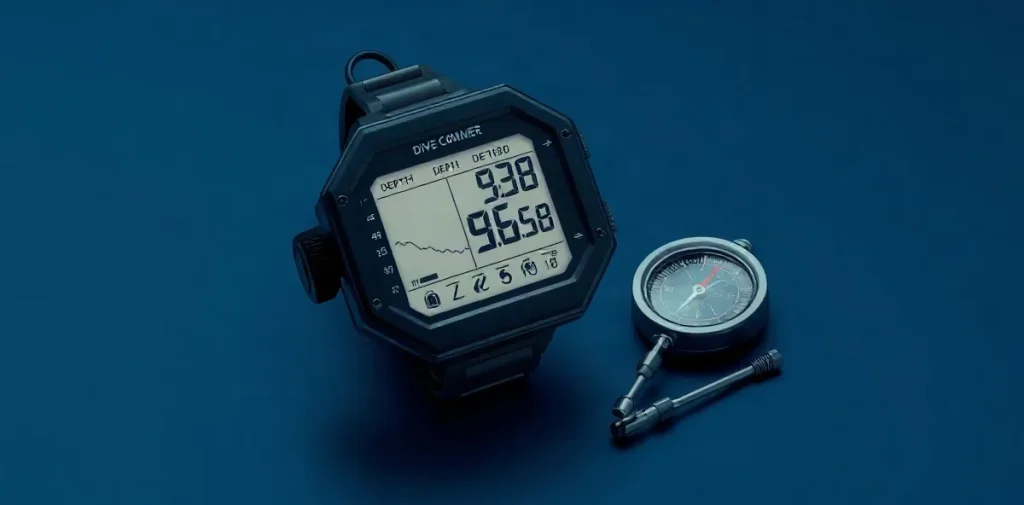
A dive computer matters beyond its screen because its value depends on more than what it displays: the information must be understandable, the device must suit the dive, and the diver must know how to use it. A clear display helps, but it cannot replace sound planning or good decisions underwater.
Choosing a dive computer means looking past the screen to the features and practical considerations that shape its use. This article explores what to weigh when comparing devices—and why the best choice is one a diver can read, operate and rely on throughout a dive.
| Dive use | Prioritize | Check before buying |
|---|---|---|
| First recreational computer | Clear depth, time and no-decompression readouts; ascent guidance | Screen contrast and intuitive operation |
| Holiday-style recreational diving | Simple operation and a readable display | Battery type and replacement procedure |
| Freediving | Freediving mode | Confirm the specific model supports it |
| Advanced or technical diving | Relevant gas modes, upgradeability and optional air integration | Gas support, compass options and compatibility |
- 201 m (600 ft) Depth rating stated for one unnamed model in the supplied 2026 review summary; not a general recommendation.
- 4 modes Air, nitrox, trimix and open-circuit modes named in the supplied review summary for one unnamed model.
- 3 readouts Depth, dive time and no-decompression time identified as core information to check.
- 1 safety-stop countdown A countdown function identified in the supplied material as a common dive-computer feature.
What should a dive computer show clearly on every dive?
The essential readout
A recreational dive computer should make depth, dive time and remaining no-decompression time easy to find on its main dive screen, alongside ascent-rate guidance and a safety-stop countdown. These are the practical readouts to check before choosing a computer; reaching them should not require searching through secondary settings.
- Depth: confirm the current depth is visible on the main dive screen.
- Dive time: check that elapsed dive time is clearly displayed.
- No-decompression time: make sure the remaining limit is easy to locate.
- Ascent and stop guidance: look for ascent-rate information and a safety-stop countdown.
Readability underwater
Screen readability is best judged on the actual computer, not from a product description: if possible, test it in a shop or pool. Large numbers and high contrast make the essential information easier to pick out underwater, so compare how clearly the depth, time and no-decompression display stand out.
Buttons and menus matter because the main dive screen should be straightforward to reach. Try the controls before buying: if basic dive information is buried among secondary settings, operating the computer is less intuitive.
When is air integration worth paying for?
Air integration is worth paying for when live cylinder-pressure information will materially help you manage a dive; for occasional recreational dives, clear depth, time and no-decompression readouts should come first. A compatible computer displays cylinder pressure during the dive, but compatibility is model-specific, so check that the computer supports air integration before buying.
- Occasional recreational diving: Prioritize readable depth, dive time and no-decompression information. If those basics are hard to see or use, a transmitter will not fix the more important limitation.
- Technical diving: Air integration may be more relevant, but assess it alongside support for your intended gas and dive mode. Pressure data is useful only as part of a computer setup suited to the planned diving.
Compare the complete cost
Air integration can mean buying more than the base computer: check the price of its compatible transmitter and any required accessories as well. The supplied information includes no current prices, so there is no grounded figure to use for comparing models; check the current cost of the complete compatible setup before deciding.
Do you need a compass or advanced decompression settings?
A built-in compass and advanced decompression settings are useful when your navigation, gases or dive plan call for them; they are not essential for every recreational dive. A compass can reduce how often you switch to a separate navigation instrument, but check that its display is easy to read and its controls are manageable underwater.
Match the computer to your diving
- Compass: The supplied 2026 review summary describes one unnamed computer with a tilt-compensated compass. Because the model is not identified, treat this as an example of a feature—not a recommendation for a particular product.
- Gas and mode support: For advanced nitrox or technical diving, verify that the computer supports the gases and operating modes you actually use. The supplied material lists air, nitrox, trimix and open-circuit modes as possible support.
- Decompression conservatism: Adjustable algorithm conservatism is a configuration option. Understand how the computer’s decompression settings work and follow your training; changing conservatism does not replace either.
For a basic recreational setup, prioritise readable dive information and controls you can use confidently; add a compass or technical modes when your navigation and planned dives require them. Check the exact model’s specifications rather than assuming that every computer supports the same gases, modes or decompression adjustments.
Which battery and upgrade costs should you check?
Battery replacement
To compare battery and upgrade costs, check each dive computer’s manufacturer documentation for its battery type, replacement method, service requirements and any upgrade charges; the supplied material gives no specific battery types, service intervals or current prices. These details are model-specific, so don’t assume that two computers with similar features have the same upkeep.
- Battery access: confirm whether the battery is user-replaceable or must be changed through a service provider.
- Replacement instructions: check whether the manual describes a replacement procedure, including any steps required to preserve the computer’s water resistance.
Upgrade and accessory costs
An upgradeable dive computer may require a paid software or hardware change, so establish exactly what the upgrade adds before comparing its price with a non-upgradeable model. Check that the added functions match the modes you expect to use, such as advanced nitrox or trimix; the supplied material does not identify specific upgrade fees or models.
- Upgrade scope: verify whether the change enables particular dive modes or adds other functions, and whether it is software, hardware, or both.
- Complete setup: include a compatible transmitter or any other required accessories in the cost comparison, rather than comparing computer prices alone.
When can extra features be the wrong choice?
Extra features are the wrong choice when they add cost or complexity without serving the dives you actually plan to make. A beginner doing holiday-style recreational diving may have little use for trimix support or technical modes; those functions do not replace clear depth, time and no-decompression information or straightforward controls.
Match features to the dive plan
- Trimix and technical modes: Choose them only if they fit your planned gas mixes and diving. For recreational dives using air or nitrox, support for unused technical modes may bring no practical benefit.
- Air integration and compass: These add access to cylinder pressure information and navigation capability, but neither is a substitute for an easy-to-read depth-time-no-decompression display or intuitive menu operation.
- Adjustable conservatism: Treat it as a change to the computer’s decompression setting, not protection against decompression illness. Dive conditions and diver-specific risks remain relevant.
Before choosing a model, check its screen legibility underwater, menu operation, battery requirements and compatibility with the dives you intend to make. A computer with a long feature list is a poor fit if its essential readouts are difficult to see or its controls are confusing. For a beginner, prioritising readable core information and simple operation can be more useful than paying for technical functions they will not use.
How do entry-level, mid-range and technical options differ?
Entry-level dive computers suit recreational scuba and simple holiday-style diving, mid-range models add convenience features, and advanced or technical options need to support the gases and modes planned for the dive. The right comparison is not the screen alone: check the specific model’s capabilities, any required upgrade or transmitter, and the cost of ownership.
Match capability to the dive.
- Entry-level: For recreational scuba and straightforward holiday-style diving, check that the computer clearly presents depth, dive time and no-decompression information, with ascent guidance and intuitive operation.
- Mid-range: A model may add a more readable display, connectivity, a freediving mode or a compass. These features are not guaranteed across the category, so confirm each one on the specific model’s specifications.
- Advanced and technical: Verify support for the intended gases and operating modes, and whether using the required configuration depends on an upgrade or a separate transmitter. Do not assume that a computer described as “advanced” supports every technical setup.
Prices and battery specifications are not provided in the supplied buying-guide material, so they cannot establish which tier offers better value. Before comparing total ownership cost, check the current price and battery details for each exact model, including the cost of any required upgrade or transmitter.
FAQ
What is the most important feature in a first dive computer?
Is air integration necessary for recreational diving?
Should my dive computer have a compass?
Can one computer support technical diving?
What this piece draws on
- oceantribe.co — “Your First Dive Computer- A Guide to Buying”
- divingsquad.com — “15 BEST Dive Computer Reviews (2026 EDITION)”
- Oyster Diving Shop — “Ultimate Guide To Scuba Diving Computers 2026”
- deeperblue.com — “How To Choose The Right Dive Computer For You”
- divein.com — “Best Beginner Dive Computers in 2026 – divein”
