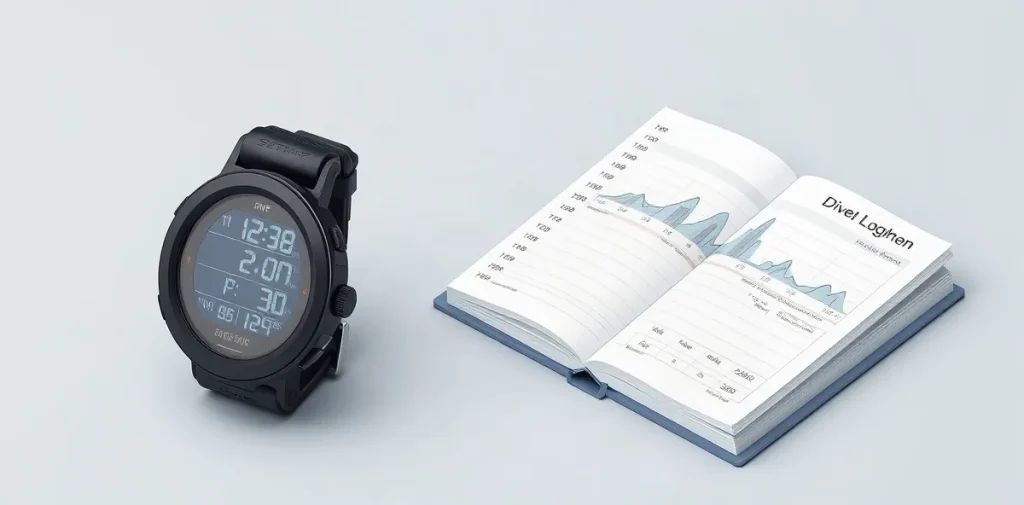
A dive-computer logbook shows the profile of each recorded dive, including information such as depth and time. Read it to understand how the dive unfolded—not as a simple score of how safely you dived, but as a record to interpret alongside your experience and circumstances.
The main topic phrase, “dive computers,” can make the data sound more self-explanatory than it is. A depth trace or dive duration gives useful context, but a logbook cannot capture every choice, condition or sensation underwater. Looking at patterns across dives can help you reflect on your diving and spot details worth discussing with a qualified professional.
| Tool | Computer-data support | Other documented features |
|---|---|---|
| Subsurface | Downloads data from a dive computer | Opens and saves dive-log files |
| Diving Log | Imports or directly downloads from more than 300 computers | PDF, HTML, Excel and CSV export; mobile sync; deco calculator |
| Computer manual | Model-specific operating information | Explains that computer’s functions, alarms and notifications |
| Diver’s own notes | Complements computer-recorded details | Equipment used; starting and ending gas pressures |
- More than 300 dive computers Computers supported for import or direct download by Diving Log
- 4 export formats PDF, HTML, Excel and CSV supported by Diving Log
- 2 gas-pressure entries Starting and ending gas pressures to add to the log
How do dive computers turn a dive into a profile?
Depth against elapsed time
A dive computer turns a dive into a profile by plotting recorded depth against elapsed dive time, so the trace shows how depth changed throughout the dive. Read its shape as well as the maximum depth: a single deepest point cannot show when descents, ascents or changes in depth occurred.
Keep comparisons consistent: records from the same computer and in the same units are easier to assess side by side. Check the computer’s manual before interpreting alarms or display fields, because their meanings can vary between devices.
Getting the profile into a logbook
Subsurface can download dive data from a computer and open or save dive-log files, giving you a way to view the recorded profile on a computer. Diving Log offers another route: it supports imports or direct downloads from more than 300 dive computers.
- Subsurface: use it to download computer data or open and save dive-log files.
- Diving Log: use its import or direct-download options for supported computers; the stated support covers more than 300 models.
How can depth and time records reveal a repeatable pattern?
Repeated patterns emerge when you compare maximum depth and time spent at depth across several logged dives, rather than treating one profile as a trend. In Subsurface or Diving Log, inspect the plotted trace for recurring deep sections, extended stretches at a similar depth, or frequent depth changes. Look for the same feature in multiple dives, not just one isolated profile.
Give each profile its context
A dive-computer trace shows depth and time, but it does not by itself explain why a dive followed that pattern. Record the dive’s purpose and conditions alongside the profile; later, those notes can help distinguish a recurring feature from a difference linked to the dive’s circumstances. Subsurface can download dive data and open and save log files, while Diving Log supports more than 300 dive computers and can export records as CSV, Excel, PDF or HTML.
Do not use a plotted profile alone to judge decompression safety: the source material provides no universal depth or time threshold for making that determination. Treat repeated profile features as patterns worth reviewing, not as proof that a dive was safe or unsafe.
What can ascent-rate and temperature records tell you?
A dive computer’s ascent-rate trace can reveal changes or repeated patterns, while its temperature log lets you compare conditions across recorded dives; neither record, on the supplied evidence, establishes a universal safe ascent-rate threshold or a temperature limit for deciding whether a dive was safe.
Check the manual for your specific computer to find out whether it records ascent rate and temperature, and how it stores alarms and notifications. Models differ in their features, so an absent trace or alert field may reflect what the computer records or displays—not proof that the ascent changed or an alarm did not occur.
For a closer look, import the log into Subsurface or Diving Log, both named options in the supplied material for viewing dive profiles. Treat any missing ascent, temperature, alarm or notification entry as unavailable data; compare only the records that are present, and use the computer’s manual to interpret what each field means.
How should you preserve and complete a computer log?
Computer data and diver notes
Preserve and complete a computer log by importing the dive data into Subsurface or Diving Log, checking the saved profile against the computer’s record, and adding details the computer may not capture. Make the comparison before treating the imported profile as your final record: it lets you check that the saved dive matches the computer.
Subsurface can download data from a dive computer and open and save dive-log files; Diving Log supports more than 300 dive computers and can import or download their data. Diving Log also offers several export formats and mobile-device synchronisation:
- PDF, HTML, Excel or CSV: export Diving Log records in a format suited to keeping, sharing or reviewing them.
- Mobile devices: use Diving Log’s sync feature to keep records accessible across devices.
Complete each computer profile with the diver’s own notes, including equipment used and starting and ending gas pressures. Back up digital logs on a computer or in cloud storage, and make digital copies of paper logbooks too; these copies help preserve the record if the original device or notebook is lost.
When can logbook data mislead you?
Dive logbook data can mislead you when a computer’s record is incomplete, a field is unsupported, or an app’s calculation is mistaken for guidance from the computer manual. A dive computer may capture many details, but you may still need to enter equipment used and starting and ending gas pressures yourself; an empty field does not mean the detail was irrelevant.
Check what the computer and software actually record
Dive computers differ in features, alarms and notifications, so do not assume one model stores the same fields as another. Diving Log supports more than 300 computers, but that figure does not mean every model—or every data field—is supported; check compatibility for your specific computer before relying on an import.
- Equipment and gas pressures: confirm whether these details were recorded or add them to the logbook yourself.
- Computer data: check the model’s available fields and whether Diving Log imports the ones you need.
- Deco calculations: Diving Log includes a deco calculator, but the available information does not specify its settings or establish that its output replaces understanding your computer’s manual.
How can you use one logged dive to plan the next?
Use one logged dive to plan the next by reviewing its stored profile, comparing the record with your own notes, and turning recurring observations into questions or preferences—not into a new safety limit. Check where depth changed, whether the computer recorded ascent-rate warnings or readings, and how temperature varied through the dive; use those details to identify moments worth discussing or monitoring next time.
Compare dives only when the context is clear: record the equipment used and the starting and ending gas pressures documented in your own log. A different configuration or pressure record can make two profiles poor matches, so note those differences before drawing conclusions. Treat any pattern as a prompt to review your plan, not proof that a particular depth, ascent rate or gas pressure is safe for a future dive.
Keep the original data intact
Before editing or exporting, save an untouched copy of the computer’s original dive data. Subsurface can download data from a dive computer and open and save dive-log files; Diving Log supports more than 300 dive computers and exports records in formats including PDF, HTML, Excel and CSV. Keep the original alongside any edited or exported copy, then use the comparison to prepare specific questions and preferences for the next dive.
FAQ
Which software can I use to read dive-computer data?
Can I export my Diving Log records?
What information should I add beyond the computer profile?
How should I back up my logbook?
What this piece draws on
- subsurface-divelog.org — “Using this manual”
- divinglog.com — “Diving Log 6.0 – Features Desktop Version”
- tdisdi.com — “Just the Tips: Logbook Advice for New Divers”
- scubanetwork.com — “Using Dive Computers – Scuba Network”
- PADI — “Choosing a Dive Computer”
