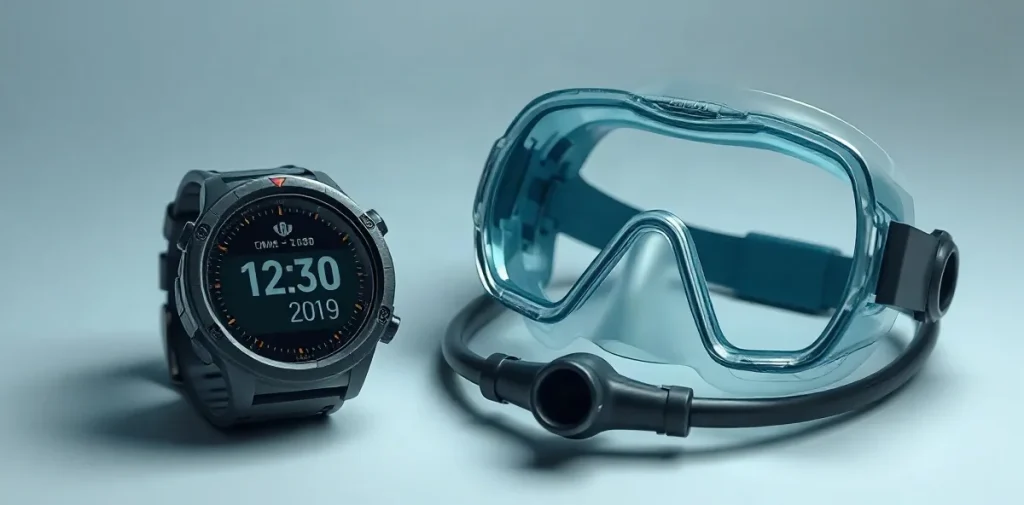
Choose a dive computer that suits the kind of diving you do, is easy to read and operate underwater, and offers decompression information you can understand and follow. The right model is not necessarily the one with the most features; it is the one whose functions, display and controls fit your dives and your experience.
Dive computers vary in how they present information and support dive planning, so compare the details that matter to your own use rather than choosing by appearance alone. This guide explains what to consider when selecting a dive computer and how to find a model that feels clear and dependable underwater.
| Format | Concrete advantage | Decision to check |
|---|---|---|
| Wrist-mounted | Compact and portable | Can you read its screen comfortably? |
| Console-mounted | Larger screen | Does it suit your regulator-console setup? |
| Integrated | Access to vital data in one setup | Is it compatible with your equipment? |
- 100 ft (30 m) Depth recreational diving rarely exceeds, as stated in the supplied 2026 beginner-computer source
- 196 ft (60 m) Depth limit the supplied 2026 source says almost all dive computers meet or exceed
- 130 ft (40 m) Apple Ultra depth limit stated in the supplied 2026 source
How should your diving determine which computer you choose?
Choose a dive computer by matching it to the dives you make now, the diving you expect to do later, and the equipment you use. PADI’s buying guidance specifically prompts divers to consider both present and future dive types, and whether a computer suits their existing kit or a complete equipment package.
Compare the computer’s form and functions against that kit and your typical dives:
- Recreational diver: If your diving is mainly on air and nitrox, prioritise clear, straightforward operation for those gases. A wrist-mounted computer is compact and portable; a console-mounted one offers a larger screen.
- Divemaster or instructor who dives daily: Prioritise display readability, battery performance, easy nitrox adjustment and durable construction, because frequent use makes these practical concerns.
- Changing equipment or plans: Check compatibility with your current setup, or compare computers within a complete package. Consider whether the model will still suit the types of diving you plan to take up.
Feature count alone is a poor way to choose: extra modes matter only if they fit the dives you actually make. For example, the Zoop Novo is identified as a beginner option with versatile modes, including air, nitrox, gauge and freediving; that range is useful only if those functions match your plans and equipment.
What is the difference between wrist, console and integrated computers?
Wrist-mounted computers prioritise portability, console-mounted computers prioritise screen size, and integrated computers bring key dive data together with connected equipment; none is automatically best for every diver.
Portability versus screen size
Wrist-mounted computers are compact and easy to carry, a format popular with recreational divers. A console-mounted computer attaches to the regulator console and has a larger screen, which can make its key information easier to read. The choice is a practical trade-off, not a ranking.
- Wrist-mounted: choose this format if compactness and portability matter most.
- Console-mounted: consider it if a larger display is your priority.
- Integrated: consider it if you want vital data available through one connected setup.
Check the equipment connection
Integrated computers need to work with the equipment you already use, so check compatibility before buying. PADI’s buying guidance specifically recommends considering whether a computer suits your current equipment or a complete equipment package. That check matters more than choosing a format on the assumption that it is universally superior.
Which display and modes matter for a beginner?
A beginner should prioritise a dive computer with a display that is easy to read underwater and modes suited to their training and planned dives. A larger screen can make key information easier to pick out while a new diver is learning to check the computer regularly.
The Suunto Zoop Novo is a concrete example named in the supplied beginner guidance for its range of modes. The material lists air, nitrox, gauge and freediving modes for this model; because specifications can vary by exact model, verify the Zoop Novo’s features before buying.
- Display: Compare how readily you can read the information underwater; a larger display may be a useful priority for a beginner.
- Modes: Check that the computer’s air, nitrox, gauge or freediving options match your training and the dives you plan to make.
Extra modes do not extend a diver’s qualification. Choose a mode only when it is appropriate to your training and planned dive, and do not use additional computer functions as permission to go beyond either.
What should daily-use and professional divers prioritise?
Daily-use divemasters and instructors should prioritise a readable display, dependable battery performance and durable construction, then check that the computer suits their diving and existing equipment. These practical demands matter more when a device is used day after day than a long list of modes that may not match the diver’s routine.
- Screen: Compare wrist-mounted computers with console-mounted models; console units offer larger screens, which may be easier to read.
- Battery and build: Check the manufacturer’s stated battery performance and how the unit is constructed. The supplied material provides no battery-life figures or durability ratings for specific models, so compare actual specifications rather than assuming they are equivalent.
- Nitrox: If nitrox is a regular part of the working routine, look for straightforward nitrox adjustment and verify that the computer supports the required settings.
- Controls and compatibility: Choose controls you can operate reliably and a display you can read underwater. Confirm compatibility with current equipment; a mode list alone does not show whether a computer is a good fit.
No definitive professional model or price ranking is established by the available material. Compare named models’ specifications and equipment compatibility directly, and choose on demonstrated fit for daily use rather than an unsupported “best” label.
When can a computer’s limits or extra features mislead you?
Depth rating is not a dive plan.
A dive computer’s maximum depth is an equipment limit, not a recommended target, and a higher rating does not make a dive safer on its own. Training, dive planning and following the computer’s instructions still matter.
The 2026 beginner-computer source notes that recreational dives rarely exceed 100 ft (30 m), while almost all computers are rated to at least 196 ft (60 m). It gives the Apple Ultra a 130 ft (40 m) limit, which restricts some advanced training dives; check any model against your course requirements and intended use before buying.
Features only help when the computer fits.
A feature-rich computer can still be the wrong choice if its display is difficult to read, its battery arrangements are inconvenient or it is incompatible with your equipment. Compare the model with your actual setup and priorities, rather than treating a longer feature list as proof of a better fit.
- Depth: Compare the computer’s stated limit with your planned dives and course requirements; the Apple Ultra’s 130 ft (40 m) limit may rule it out for some advanced training.
- Display: Wrist-mounted computers are portable, while console-mounted models offer larger screens.
- Fit: Check readability, battery arrangements and compatibility with your equipment before choosing.
How do you maintain a dive computer after diving?
Maintain a dive computer by rinsing it in fresh water after every dive, then keeping it out of direct sunlight in a cool, dry place. This removes salt and residue and helps protect the computer between outings.
Check servicing before you buy
Battery arrangements and servicing options vary by model, so check both with the seller or manufacturer before purchase. The available information does not specify replacement procedures or service details for individual computers; confirm what applies to the exact model rather than assuming its battery can be changed in a particular way.
For divemasters and instructors who dive daily, battery reliability and durable construction deserve attention alongside screen readability. These are practical purchase criteria for frequent use, not model-specific guarantees: compare the manufacturer’s battery information and servicing options before choosing, and weigh them against how easily you can read the display during a dive.
FAQ
Are wrist-mounted or console-mounted dive computers better?
What this piece draws on
- divessi.com — “Mastering Dive Computers: Your Guide to Safer, Smarter Diving”
- PADI — “Choosing a Dive Computer”
- scubadivingcostarica.com — “Dive Computer Buying Guide | How to Choose the Right One – Scuba diving Costa Rica”
- divein.com — “Best Beginner Dive Computers in 2026”
- Eternal Arrival — “The Best Dive Computer for Beginners: What I Picked (+ the 5 Runner Ups)”
